Summarize this blog post with:
Quick Summary
Enhance your CRM with a voice call service for businesses. Improve support and efficiency. Start transforming your business today!
70% of customers expect support agents to have full context during every interaction—but most teams don’t.
This disconnect leads to a frustrating experience for both customers and agents. Imagine an agent answering a call without knowing the customer’s history, issues, or preferences. Missed calls, scattered notes, and a lack of context only worsen the situation.
For businesses that rely on CRMs like Zoho or Pipedrive but still use separate calling systems, these inefficiencies become even more apparent.
Are you managing customer conversations across multiple platforms, struggling with fragmented data and slow response times?
Here’s how integrated voice call services for businesses can streamline your operations, making it easier for agents to access real-time customer data and offer faster, more personalized support.
Stay ahead of the curve by learning how these solutions can improve not just your workflows, but your customer satisfaction scores.
Why Your CRM Feels Powerless Without Native Calling
For businesses looking to offer seamless and efficient customer support, a CRM system is a must-have. However, when your CRM and voice call services operate a virtual business phone line independently, you may be missing out on significant opportunities to improve your team's performance and customer satisfaction.
The Challenges of CRM and Calling Tools Operating in Silos
Without native integration between your CRM and voice call system, your team faces a host of frustrations that impact productivity and customer experience. Here's how:
- Switching Between Multiple Tools: Agents frequently toggle between different platforms, a CRM for customer data, and a separate voice service for calls. This results in wasted time and a lack of customer focus.
- Lost Context: If your CRM isn’t linked with your voice call service, agents can’t see the full conversation history, leading to disjointed customer interactions and the need for customers to repeat themselves.
- Manual Data Entry: Agents must manually log every call made or received in the CRM. This opens the door to human error, missed entries, or delayed updates, leading to inconsistent data.
The Hidden Costs of Disconnected Systems
When your CRM and voice call tools aren’t integrated, the impact is felt across the entire business. Here’s how disconnected systems can undermine your operations:
- Slower Response Times: Without an integrated voice call service for businesses, agents spend valuable time searching for information and manually entering data, slowing response times and reducing efficiency.
- Missed Opportunities & Dropped Leads: Poor call management systems can cause agents to miss leads or fail to follow up promptly. When calls aren't logged automatically, there’s a higher risk of missing crucial information, which leads to lost business opportunities.
- Lower Customer Satisfaction Scores (CSAT): Customers expect fast, accurate, and personalized support. If your team doesn't have immediate access to all relevant information during calls, it increases wait times, frustrates customers, and lowers satisfaction.
Benefits Of integrating VoIP With CRM
- Faster, Smarter Communication: VoIP + CRM lets your team make and receive calls directly inside the CRM. Calls are logged automatically, saving time and ensuring every interaction is recorded. This reduces manual work and keeps your communication history accurate.
- Better Customer Insights: Your team sees customer history, notes, and past conversations instantly during calls. This leads to more personalized conversations and higher customer satisfaction. With full context, agents can solve issues faster and build stronger relationships.
- Improved Team Productivity: With click-to-call, automated call tracking, and centralized data, your team spends less time switching tools and more time closing deals. This streamlined workflow helps boost overall efficiency across sales and support teams.
- Stronger Reporting & Analytics: Call data flows into your CRM, giving you clear visibility into call performance, agent activity, and customer engagement trends. These insights help you improve processes and make data-backed decisions.
- Enhanced Customer Experience
Faster response times, personalized interactions, and seamless workflows help you deliver a smoother and more professional customer experience. Customers feel valued when your team responds quickly and understands their needs.
Integrating your CRM with a business voice call service transforms how your team works, enabling smoother, more efficient communication with your customers.
5 Must-Have Features in a CRM + Voice Call Integration
When choosing a voice call service to integrate with your CRM, it's essential to select one that enhances your team's workflow and improves customer interactions.
Not all business calling + CRM systems are created equal, so here’s a checklist of features to look for in a service that will genuinely support your business needs.

1. Native Integration with Popular CRMs (Zoho, HubSpot, Pipedrive)
The foundation of an effective CRM + voice call integration lies in seamless connectivity between your CRM and calling system. The right solution will ensure that:
- All your CRM data and call information are accessible in one place.
- There's no need for manual data entry or toggling between systems.
- Popular CRMs like Zoho, HubSpot, and Pipedrive are supported, making it easy to integrate without disrupting your current workflow.
2. Click-to-Call & Auto-Logging Inside the CRM
Efficiency is key, especially for teams handling high call volumes. A robust voice call service for businesses will offer:
- Click-to-call functionality enables agents to dial customers with just one click directly from the CRM interface, saving valuable time.
- Auto-logging of call details and notes in the CRM automatically after each interaction, eliminating the need for manual input and reducing the risk of missed or incorrect data.
3. Call Recording & Transcription
Being able to review calls can be a game-changer for improving customer support and sales. Look for a service that offers:
- Call recording lets you listen to past conversations for quality control, training, and compliance.
- Transcriptions of calls make it easy to scan for important information, spot trends, and ensure nothing gets overlooked during support or sales calls.
4. Real-Time Reporting + Team Dashboards
To make informed business decisions, you need clear visibility into how your team is performing. Choose a unified communication service that includes:
- Real-time reporting that tracks metrics like call volume, response times, and resolution rates.
- Team dashboards that provide insights into individual and team performance, helping you identify areas for improvement and celebrate successes.
5. Easy Setup, Global Reach, and Scalable Pricing
As your business grows, your voice call needs will evolve. Make sure the solution you choose is adaptable and scalable:
- Easy setup that doesn't require a technical expert or a lengthy onboarding process.
- Global reach to support calls across regions and countries so that you can scale your business communication system without limitations.
- Scalable pricing that fits your current team size and budget while allowing you to upgrade as your needs grow.
By considering these must-have features, you can choose a voice call service for businesses that integrates smoothly with your CRM and enhances both team productivity and customer satisfaction.
HelloSend: Your One-Stop Solution For Voice Call Integration
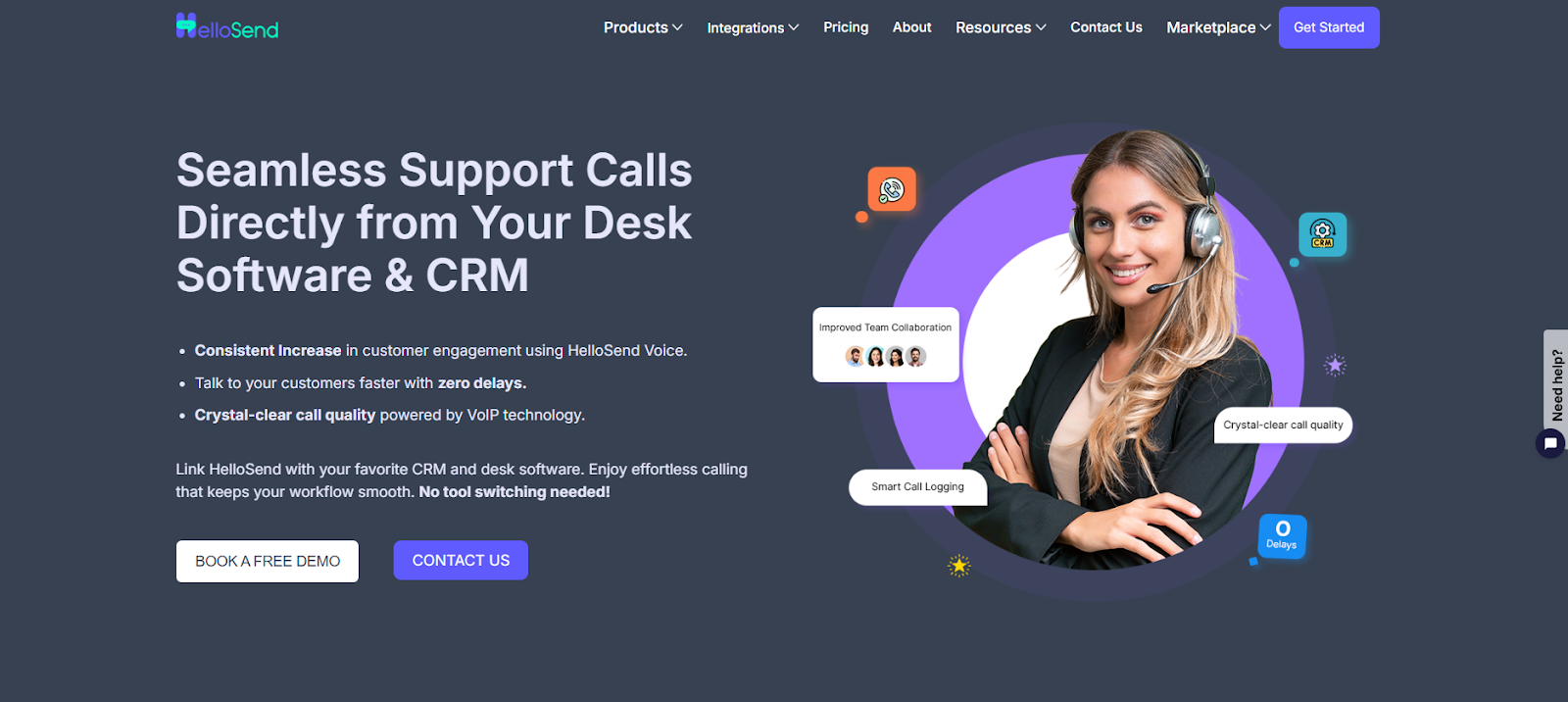
If you are looking for a robust, easy-to-implement solution for voice call integration, HelloSend is the answer. HelloSend provides a seamless experience by integrating voice calls with your CRM and other tools, making communication more efficient and actionable.
Key Features Of HelloSend For Voice Call Integration
With HelloSend’s Voice Call, you are not just making calls; you are elevating your entire communication game.
Here’s how:

1. Desk‑Software & CRM Integration: HelloSend makes this a reality: calls are made directly from your favourite desk software or CRM. Eliminates context-switching, reduces time wasted toggling between tools, and keeps your representative in the “flow” of the conversation, allowing the customer to receive more focused attention faster.
2. One‑Click Calling: No more manual number entry or hunting for the correct extension. HelloSend offers one‑click dialing and allows calls over the web or phone. Less friction in the process equals faster responses, resulting in greater customer satisfaction.
3. Smart Call Logging, Recording & Analytics: Every call is logged, timestamped, and tied to the correct contact/lead, all stored in one place. You also get recordings + analytics. Transparent performance tracking (how many calls, how long, how many resolved), Quality control (listen back to ensure best practices), and Clear records so nothing falls through the cracks.
4. Team Collaboration & Call Routing: Large teams? HelloSend keeps reps aligned. Shared call logs and notes keep everyone on the same page, ensuring everyone is informed and up to date. Intelligent routing ensures the right person answers the right call. Single source of truth for call history + less “who responded last?” confusion = smoother customer experiences.
5. Automated Messaging: You can set business hours so calls get routed only when you’re active. Automated messages (welcome, busy, offline) ensure that customers are aware of their status. Role‑based permissions for inbound & outbound keep things organized and secure.
6. High‑Quality VoIP: HelloSend uses VoIP technology for calls. Better call quality, less drop‑off, and more professional sound. When you’re representing your brand via voice, clarity counts.
Other Integrations
HelloSend integrates with a wide range of tools, including popular CRM systems, helpdesk platforms, and communication tools, making it a versatile choice for businesses of all sizes. To know more about it, visit: HelloSend Integrations.
Pricing
HelloSend offers flexible pricing plans designed to fit businesses of different sizes and needs. Whether you're a small startup or an established enterprise, HelloSend has a plan that suits your needs. Check out HelloSend Pricing Plans.

How to Get Started Without Disrupting Your Workflow?
Integrating a voice call service for businesses with your CRM doesn’t have to be complicated. By following a few key steps, you can smoothly introduce this technology into your operations without disrupting your team's workflow.
1. Start with One Team (e.g., Support)
To avoid overwhelming your team, start by implementing the integration with one department, such as your support team. This allows you to:
- Test the system on a smaller scale and fine-tune it.
- Ensure that agents are comfortable with the new tools before rolling it out across other departments.
2. Ensure CRM Data is Clean and Standardized
Before integrating, make sure that your CRM data is properly organized:
- Remove outdated or incorrect customer information.
- Standardize data formats to ensure smooth syncing between the CRM and voice call system.
3. Choose a Tool with Built-In Training/Support
Opt for a voice call service for businesses that offers straightforward, easy-to-follow onboarding and continuous support. This will help your team:
- Get up to speed quickly with minimal downtime.
- Access support when needed to reduce potential disruptions.
Conclusion
Voice call services for businesses are no longer a luxury; they’ve become a vital component of any modern CRM system. By integrating voice calls directly into your CRM, you empower your team to provide faster, more efficient support.
Imagine a future where every agent has full context before answering a call. There are no missed calls, no scattered data, just seamless interactions that lead to quicker resolutions and better customer experiences.
How could this work for your team? Try HelloSend or schedule a quick strategy chat to see how easy it is to streamline your processes and enhance support.

FAQs
1. What are voice-enabled CRM solutions?
Voice-enabled CRM solutions let teams make, receive, and log calls directly inside the CRM, helping streamline communication and keep all call data in one place.
2. How do voice-enabled CRMs help sales teams?
They save time by offering click-to-call, automatic call logging, and real-time customer data during conversations, allowing sales reps to work faster and convert more leads.
3. Are voice-enabled CRM systems easy to set up?
Most modern VoIP integrations connect quickly with CRMs through plug-ins or APIs, making setup simple even for small teams without technical expertise.
4. Do voice-enabled CRMs work on mobile?
Yes. Many CRMs support mobile VoIP calls, letting teams communicate with customers on the go while still automatically syncing call details.
5. Is call recording included in voice-enabled CRM solutions?
Many solutions offer built-in call recording so teams can review conversations, improve training, and ensure quality control.