.webp)
Summarize this blog post with:
Quick Summary
HubSpot’s SMS guide shows sales teams to automate targeted SMS messages, get opt‑in consent, personalize texts, and use workflows to boost engagement, appointments, and conversions fast.
Sales teams today are under pressure to follow up faster, respond more personally, and stay visible throughout longer buying cycles. That’s precisely where HubSpot SMS marketing fits in. And according to the data, 51% of consumers find SMS marketing useful.
By bringing text messaging directly into the CRM, sales reps can engage prospects in a channel that feels immediate and human.
While native HubSpot SMS is a valid starting point, it becomes costly and restrictive as teams grow. The real differentiator isn’t whether you use SMS; it’s which HubSpot SMS integration you choose.
In this blog, you will explore all about HubSpot SMS Marketing and you will find the best integration tool. You can pick any as per your business requirements.
Let’s begin!
Why HubSpot Sales Teams Are Investing In SMS Now?
Email and calls alone no longer sustain momentum in modern sales cycles. Decision-makers are busy, inboxes are crowded, and cold calls are often ignored. Sales teams need immediate, personal touchpoints that fit naturally into a buyer’s day.
That’s why SMS has evolved from a “nice-to-have” into a revenue-driving channel. Text messages are read within minutes, not hours. According to industry data, over 90% of SMS messages are opened within three minutes, making SMS one of the fastest ways to re-engage prospects.
With HubSpot SMS marketing, teams can act on CRM data in real time, triggering follow-ups based on form fills, deal stages, or meeting activity. Instead of guessing when to reach out, reps connect at moments of highest intent. This shift from batch communication to contextual messaging is why SMS marketing continues to grow.
What HubSpot SMS Marketing Enables For Sales Teams?
At its best, HubSpot SMS marketing doesn’t replace email or calls it strengthens them. It gives sales teams another channel that’s fully connected to the CRM, not siloed in a separate tool.

- Two-way SMS conversations are logged inside HubSpot, so every reply is tied to the contact record, giving reps full context before responding and preventing conversations from getting lost across tools.
- Complete visibility at the contact and deal level, allowing managers and reps to see conversation history in one place, improve coaching, and ensure consistent messaging throughout the entire sales cycle.
- Automated follow-ups triggered by workflows, removing the need for manual reminders and helping reps reach prospects at the right moment without extra effort or delays.
- Seamless coordination with email and calling, so outreach feels consistent, not repetitive, and buyers receive messages that align with previous interactions and current deal stage.
With proper HubSpot SMS automation, reps spend less time chasing prospects and more time having meaningful conversations. Messages are timely, contextual, and relevant, exactly what modern buyers expect.
The Limitations Of Native HubSpot SMS For Growing Teams
Native HubSpot SMS is a reasonable entry point, especially for small teams testing SMS for the first time. But as usage grows, its limitations become clearer.
- First, costs rise quickly as message volume increases, making it harder to justify at scale. Second, communication is limited to SMS only, which restricts reach in regions where WhatsApp dominates business messaging.
- Third, collaboration features for sales teams are basic, making it harder to manage shared conversations.
- Finally, automation options are often limited compared to what growing teams need. As pipelines become more complex, sales leaders look for deeper workflow control, multi-channel flexibility, and better cost predictability, areas where native options can fall short.
How To Choose The Best HubSpot SMS Integration?
Choosing the best HubSpot SMS integration isn’t about features alone. It’s about how well the tool supports your sales motion today and how it scales tomorrow.
Decision-makers should prioritize:
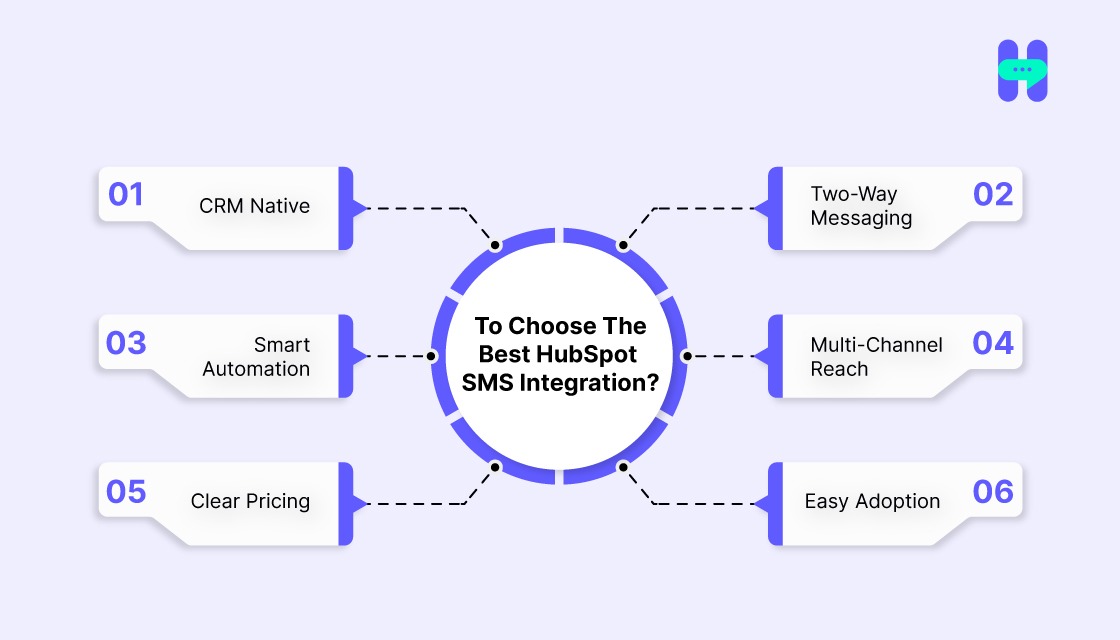
1) CRM Native
The best HubSpot SMS integration should work natively inside HubSpot, not as a disconnected add-on. Every message and reply must be logged against contacts and deals, giving sales teams complete context without switching tools or losing conversation history.
2) Two-Way Messaging
SMS should enable honest conversations, not one-directional broadcasts. Two-way messaging allows sales reps to respond in context, build rapport, and move deals forward while keeping every interaction visible inside the CRM.
3) Smart Automation
Workflow-based SMS automation ensures messages are sent at the right time after a form fill, a meeting booking, or a deal update. This removes manual follow-ups and helps reps engage prospects while intent is still high.
4) Multi-Channel Reach
The best integrations support more than just SMS. Combining SMS and WhatsApp on a single platform lets sales teams reach prospects on their preferred channel while maintaining a single conversation history in HubSpot.
5) Clear Pricing
Transparent pricing is critical for scaling teams. Look for affordable messaging solutions and predictable costs that grow sensibly with usage, making ROI easier to measure and preventing unexpected increases as message volume rises.
6) Easy Adoption
A strong HubSpot SMS integration should be easy for reps to use from day one. Minimal setup, intuitive workflows, and familiar CRM-based interfaces drive faster adoption and consistent usage across the sales team.
The proper integration should feel like an extension of HubSpot, not another tool your team has to manage.
Best 03 Tools for HubSpot SMS Marketing
1) HelloSend – The Most Cost-Effective SMS & WhatsApp Solution For HubSpot
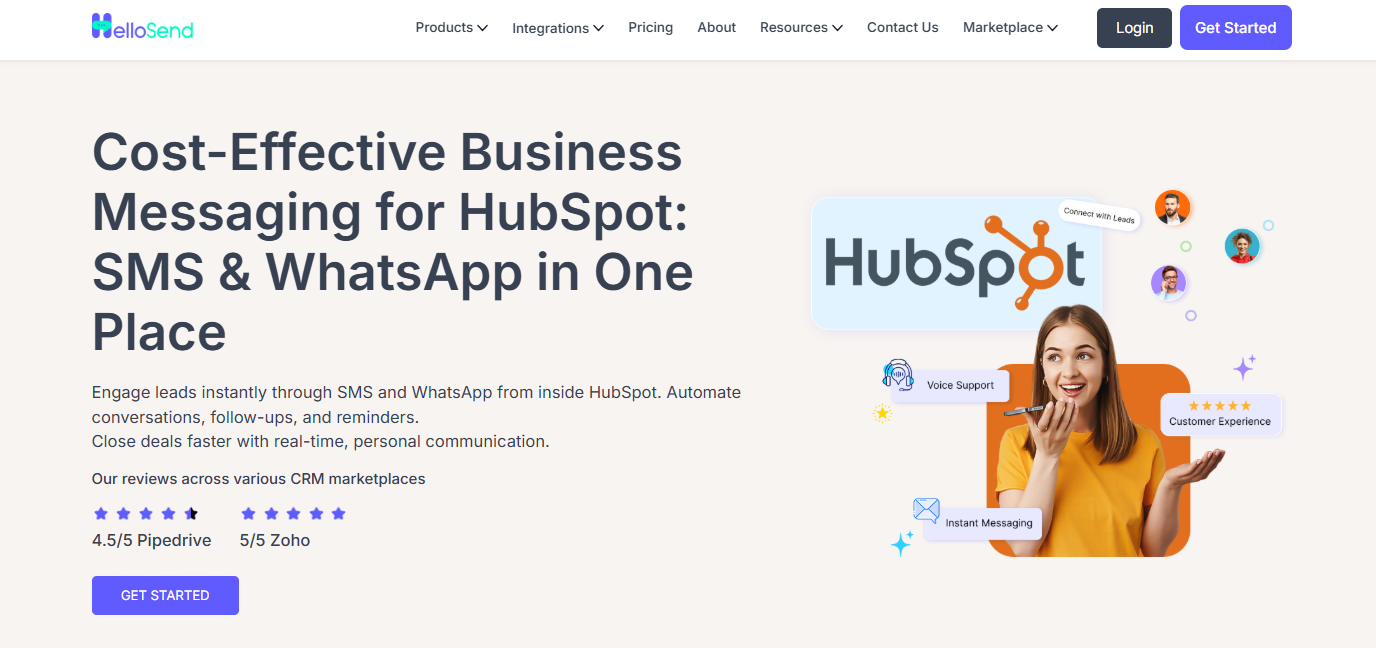
HelloSend is explicitly built for revenue teams that want real conversations, not just message delivery. It’s more than that. This tool is one of the must-have solution for HubSpot integration.
Unlike SMS-only tools, HelloSend integrates SMS and WhatsApp within HubSpot, allowing sales teams to reach prospects on their preferred channel without leaving the CRM.
Key strengths of HelloSend include:
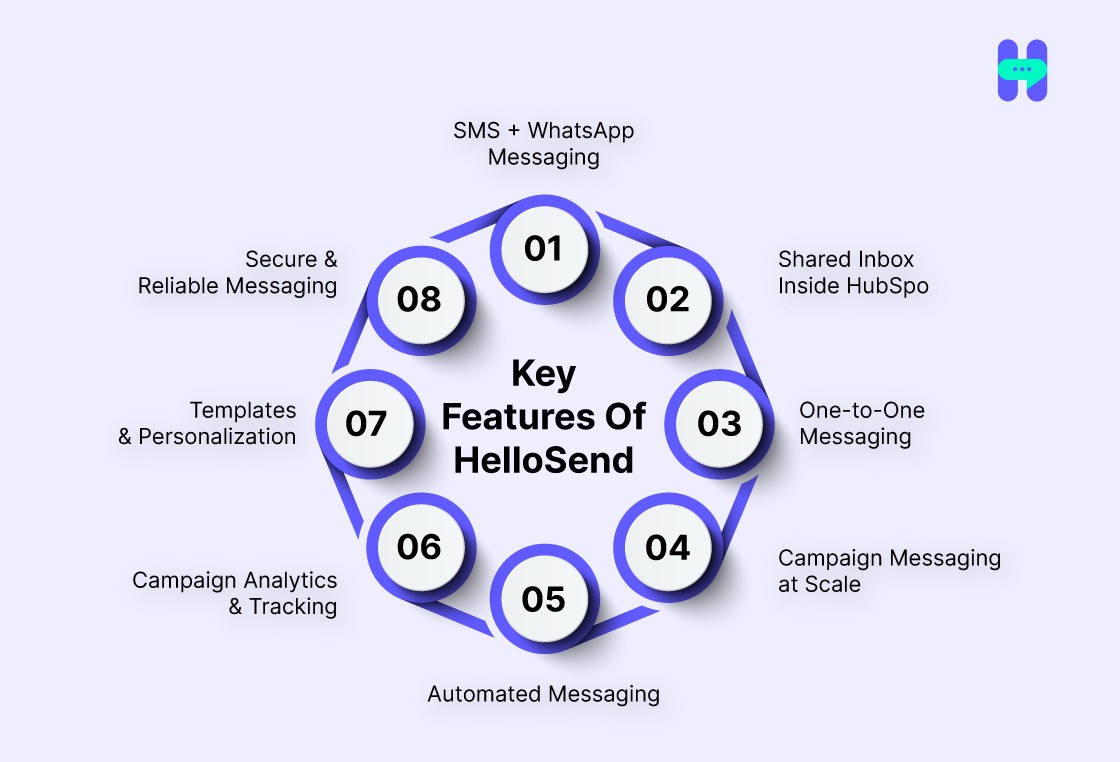
- SMS + WhatsApp Messaging: HelloSend lets you send SMS, Personal WhatsApp, and Meta WhatsApp messages directly from HubSpot, giving teams the flexibility to engage customers on their preferred channels without switching tools.
- Shared Inbox Inside HubSpot: All SMS and WhatsApp conversations are managed inside a centralized shared inbox in HubSpot. This keeps your sales team aligned, simplifies message tracking, and ensures nothing gets missed.
- One-to-One Messaging: Send personalized SMS and WhatsApp messages from any contact, deal, or company record. Replies are automatically logged back into HubSpot, preserving full conversation history and context for every interaction.
- Campaign Messaging at Scale: Launch targeted SMS and WhatsApp campaigns using HubSpot contact filters or imported lists. HelloSend keeps every outreach tied to the correct CRM record and tracks delivery and responses in real time.
- Automated Messaging: With HelloSend, you can trigger SMS and WhatsApp messages through HubSpot workflows, perfect for follow-ups, reminders, onboarding sequences, or nurture campaigns based on form fills or deal stages.
- Campaign Analytics & Tracking: Monitor message performance, including delivery status, logs, and engagement directly inside HubSpot. These insights help you optimize campaigns and improve messaging effectiveness over time.
- Templates & Personalization: Reusable SMS and WhatsApp message templates that pull in contact properties (like first name), saving time while keeping messaging relevant and personal.
- Secure & Reliable Messaging: HelloSend integrates securely with HubSpot, ensuring all communications are encrypted and protected, giving confidence in both performance and compliance.
HelloSend’s Pricing will blow your mind. It’s transparent and most affordable for your business.

2) Salesmsg
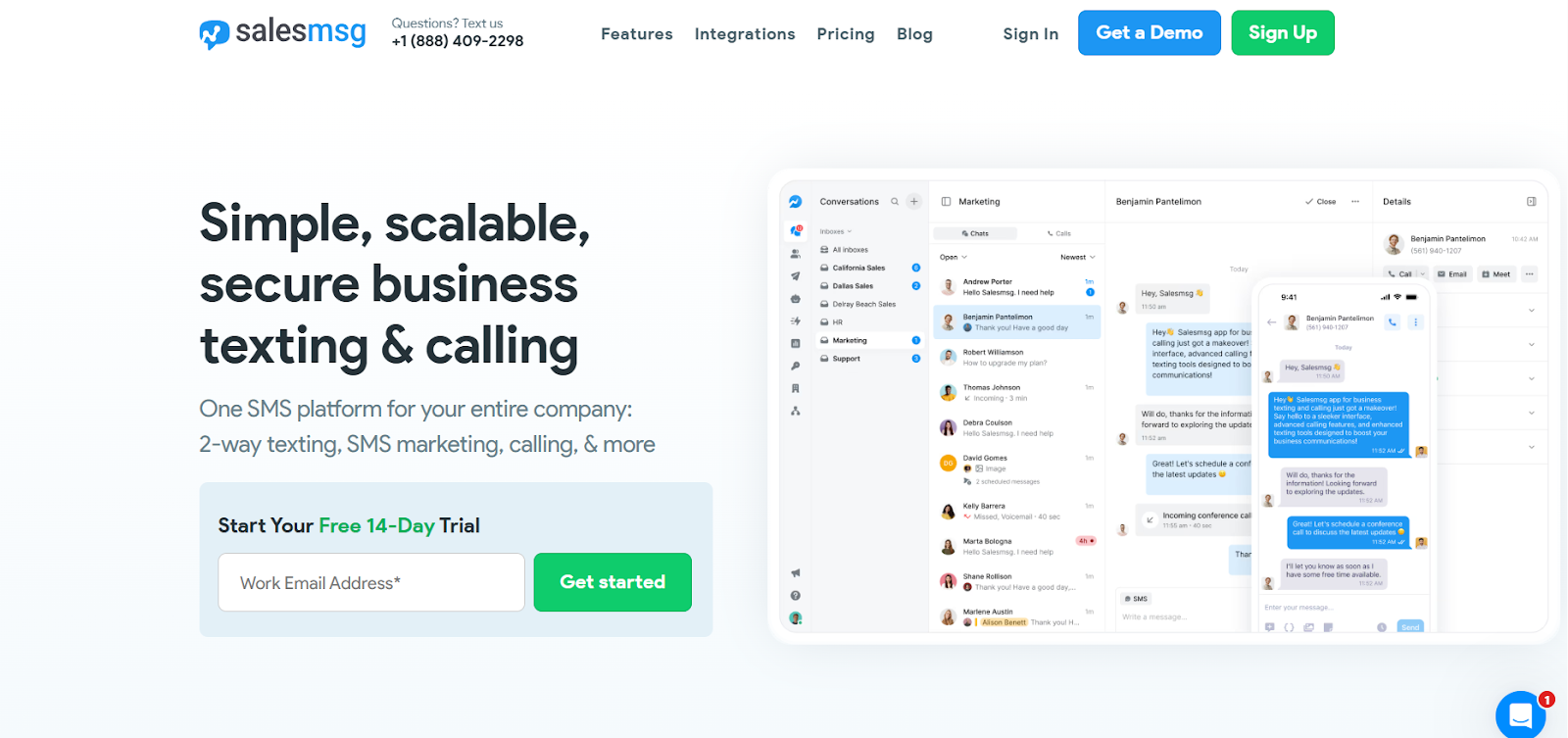
Salesmsg offers direct SMS integration with HubSpot and works well for teams focused purely on texting. It supports basic automation and logging, making it suitable for straightforward sales workflows.
However, it remains SMS-only, which limits flexibility for teams that want to expand into WhatsApp or other messaging channels over time.
3) MessageBird
MessageBird supports multiple messaging channels and is often used by larger organizations handling high messaging volumes. It’s designed primarily for infrastructure-heavy use cases rather than sales-led workflows.
While powerful, it typically requires more setup and configuration and feels less CRM-native than tools explicitly built for HubSpot sales teams, such as HelloSend.
Best Practices HubSpot SMS Marketing Teams Follow
The most successful teams follow clear best practices. HubSpot SMS marketing strategies:
- Intent First: Top-performing teams send SMS notifications only when there’s clear buyer intent, such as form submissions, demo requests, or deal-stage movement. This ensures messages feel timely and relevant, increasing engagement while avoiding the fatigue that comes from unnecessary or overly frequent texts.
- Conversational Tone: SMS should sound like a real person, not a campaign. Using short sentences, simple language, and a friendly tone makes outreach feel natural and encourages prospects to respond rather than ignore the message.
- Smart Timing: Effective HubSpot SMS marketing relies on sending messages at the right moment. Triggering texts immediately after high-intent actions keeps your brand top of mind while interest is still fresh and response rates are highest.
- Helpful Automation: Automation should support sales reps, not replace them. The best teams use HubSpot workflows to handle reminders and follow-ups, while still allowing reps to step in personally when conversations require a human touch.
- Channel Choice: Not every prospect prefers SMS alone. Combining SMS with WhatsApp allows teams to reach buyers on their preferred channel, improving response rates while keeping all conversations organized inside HubSpot.
- Reply Tracking: Successful teams measure more than delivery rates. Tracking replies, conversations, and deal progression helps sales leaders understand what’s working and continuously refine their HubSpot SMS marketing strategy.
Final Verdict
HubSpot SMS marketing delivers strong results when appropriately integrated. Native SMS works for limited use cases, but it isn’t built for scaling sales teams.
Some tools focus on infrastructure. Others concentrate on message volume. HelloSend strikes the right balance, offering automation, multi-channel messaging, and cost efficiency all within HubSpot.
For sales teams looking to stay top of mind, move faster, and close deals more efficiently, HelloSend stands out as the most practical and scalable option. Contact us now!

FAQs
1: What are the best practices HubSpot SMS marketing teams should follow?
Focus on intent-based messaging, keep texts conversational, respect opt-ins, and use automation to enhance, not replace, sales outreach.
2: What are the best SMS marketing tools for HubSpot users?
HelloSend, Salesmsg, and MessageBird are commonly evaluated, with HelloSend offering the best balance of automation, multi-channel messaging, and cost efficiency.
3: Which is the best HubSpot SMS integration for sales teams?
For teams that want SMS and WhatsApp inside HubSpot with strong automation and predictable pricing, HelloSend is often the best fit.
4: How does HubSpot SMS automation help sales teams stay top of mind?
It enables timely follow-ups, reminders, and deal-stage messages triggered by real buyer activity.
5: Can businesses use the HubSpot SMS API with HubSpot integrations?
Yes, some tools leverage the HubSpot SMS API, but API-based solutions often require more setup compared to native integrations like HelloSend.