Summarize this blog post with:
SMS and push notifications differ in delivery and purpose: SMS uses cellular networks for urgent, high‑visibility messages, while push notifications require an app and internet access, enhancing engagement with richer, interactive alerts. Let’s know more!
Every second counts in customer communication. Whether it’s a payment reminder, a security alert, or a promotional message, businesses rely on text message notifications to keep customers informed and engaged.
Two of the most effective notification methods are SMS notifications and push, which serve different purposes.
According to the stats, 90% of SMS messages are read within three minutes. Meanwhile, when used effectively, push notifications can increase app engagement rates by 88%.
But which one should your business use? This blog breaks down the key differences between SMS and push notifications, helping you determine the best fit for your communication strategy.
Let’s get started!
What Does SMS Notifications Mean?
SMS (Short Message Service) is a text-based communication method sent over cellular networks. Unlike some messaging platforms, SMS does not require an internet connection with accessibility, even in areas with limited data coverage. Each message typically has a 160-character limit.
Additionally, you can try SMS Blast and send a single text message to a large group of recipients. It will also help you reach your target customers instantly.
How SMS Notifications Work?
- Sent via telecom providers using phone numbers.
- It can originate from short or long codes or toll-free numbers.
- User opt-in is mandatory to comply with regulations such as the Telephone Consumer Protection Act (TCPA) and the General Data Protection Regulation (GDPR).
Common Uses of SMS Notifications
- Appointment Reminders: Industries like healthcare and personal services utilize notification text to remind clients of upcoming appointments, reducing no-show rates.
- Order Confirmations and Delivery Updates: E-commerce platforms send SMS notifications to inform customers about order statuses and shipping details.
- Two-Factor Authentication (2FA): Financial institutions and online services send verification codes via SMS, enhancing account security.
- Emergency Alerts: Governments and organizations send SMS messages to disseminate urgent information, such as weather warnings or security alerts.
SMS notification examples
- Bank Transaction Alert: Your account ending in 1234 has been debited XXXX. Available balance: XXXX. Reply HELP for support.
- Delivery Update: Your package from ABC Store has shipped and is expected to arrive on January 10. Track your order at www.abcdelivery.com."
- Appointment Reminder: Your dental appointment is tomorrow at 3 PM with Dr Smith. Please reply ‘CANCEL’ to reschedule.
- Two-Factor Authentication (2FA): Your verification code is 123456. Enter this code to complete your login.
- Promotional Offer: 50% off your next purchase! Use code SAVE50 at checkout. Valid until Jan 15. Shop now!
What Are Push Notifications?
Push notifications are messages sent from applications to users' devices. They require the user to install the specific app and consent to receive notifications.
Unlike SMS, push notifications can include rich media elements such as images, videos, and call-to-action (CTA) buttons. Additionally, the text message notification system works smoothly.
How Push Notifications Work?
- Sent from app servers through push notification services like Firebase Cloud Messaging (FCM) or Apple Push Notification Service (APNs).
- Delivery is contingent upon the device having an active internet connection.
Common Uses Of Push Notifications
- App Updates and Feature Alerts: Notifying users about new features or updates to improve engagement.
- Personalized Marketing Campaigns: Providing tailored promotions based on user behavior and preferences.
- Cart Abandonment Reminders: E-commerce apps prompt users to complete purchases by reminding them of items left in their shopping carts.
- Breaking News Information: News outlets and media apps provide immediate updates on significant events.
Key Differences Between SMS And Push Notifications

Best Tool For SMS Notifications
Selecting the best tool that perfectly suits your business and provides results according to your goals. So, let’s check out this easy plus reasonable tool that suits your business.
HelloSend - Your All-In-One Solution
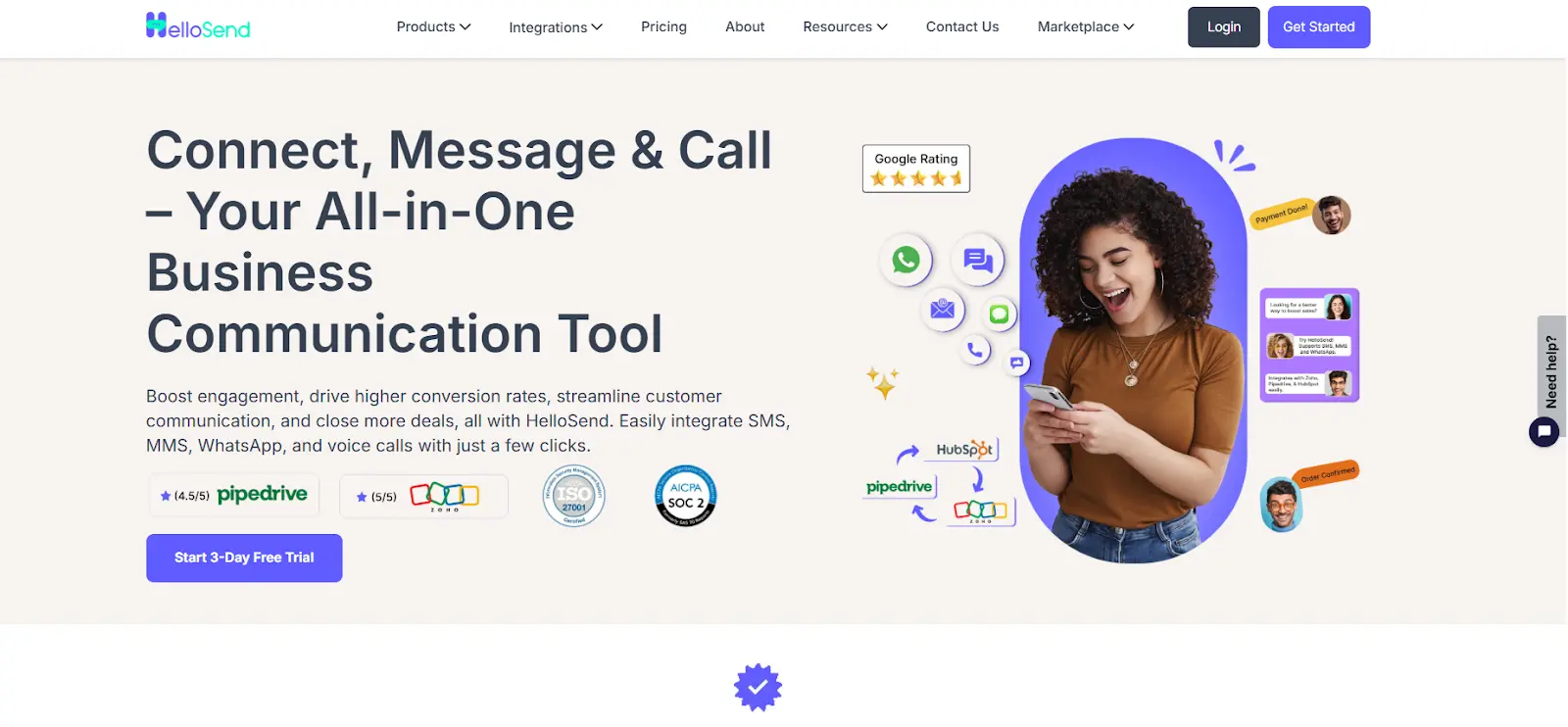
HelloSend stands out as the best tool for sending SMS notification. It's intuitive dashboard, automation workflows, and affordable pricing will blow your mind. It’s ideal for both small businesses and enterprises that need to run high-volume, personalized bulk SMS campaign without the complexity.
Top Features
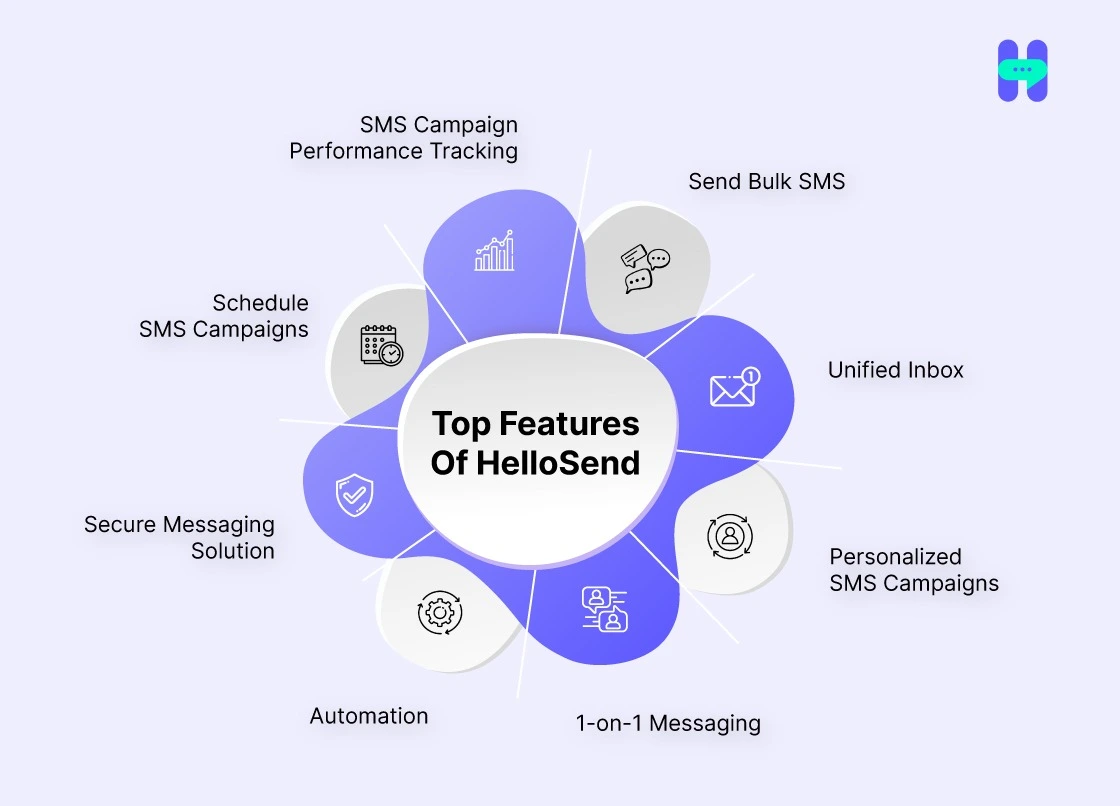
- Send Bulk SMS: Send bulk messages to engage your audience, connect personally with customers through direct messages, and automate your campaigns and reminders for effortless communication.
- Unified Inbox: Manage all customer interactions from a single platform, streamlining communication.
- Personalized SMS Campaigns: HelloSend enables businesses to craft tailored SMS messages using CRM data, enhancing customer engagement.
- 1-on-1 Messaging: With HelloSend, businesses can engage in direct, one-on-one conversations with customers through SMS.
- Automation: HelloSend offers SMS automation, allowing businesses to send scheduled messages, reminders, and follow-ups without manual intervention.
- Secure Messaging Solution: HelloSend prioritizes security, providing end-to-end encryption for all SMS communications.
- Schedule SMS Campaigns: Businesses can plan and schedule SMS campaigns in advance with HelloSend.
- SMS Campaign Performance Tracking: HelloSend provides analytics tools to track SMS campaign performance.
Integration with CRM
HelloSend seamlessly integrates with popular CRM systems, including Zoho CRM, Pipedrive, Zendesk, Microsoft Teams, and more. This integration allows you to send SMS messages directly from your CRM.
To know more about it, visit: HelloSend Integrations
Affordable Pricing Plans:-
- Monthly: $25 per user/month - Min 3 users
- Yearly: $15 per user/month - Min 3 users
To learn more about it, please visit HelloSend pricing plans.
When To Use SMS Notifications?
- Urgent Messages: Situations like one-time passwords (OTPs) or fraud alerts necessitate swift delivery and high open rates.
- Works Without Smartphones or Specific Apps: SMS ensures that users receive messages regardless of device type or installation.
- Appointment Reminders: Ensures timely communication for scheduled services or transaction confirmations.
When To Use Push Notifications
- Engaging App Users with Updates: Push notifications notify users about special discounts, flash sales, or exclusive in-app events. They keep customers engaged without incurring additional costs.
- Non-Urgent Messages that Improve User Experience: Businesses can use push notifications for loyalty rewards, gamification incentives, and periodic updates that don’t require immediate attention.
- Personalized Recommendations Based on User Behavior: E-commerce and streaming apps leverage push notifications to suggest relevant products, shows, or services, improving user retention and experience.
Best Practices For Push And SMS Notifications
For SMS Notifications:-
1) Follow Compliance Regulations
Businesses must adhere to TCPA, GDPR, and carrier regulations to avoid legal penalties and maintain consumer trust.
2) Provide a Clear Opt-in and Opt-out Process
Users should have control over receiving SMS notifications. Providing an easy opt-out option improves trust and compliance.
3)Avoid Spam and High-Frequency Messaging
Sending too many messages can lead to opt-outs and brand dissatisfaction. Limit texts to crucial, time-sensitive communications. Moreover, to understand more about SMS, check out master SMS marketing.
For Push Notifications:-
1) Allow Users to Customize Notification Preferences
Let users select which notifications they want to receive to enhance user engagement without being intrusive.
2) Keep Messages Concise and Valuable
Short, action-driven messages perform best. Cluttered or vague notifications may lead to app uninstalls.
3) Avoid Overloading Users with Notifications
Excessive push notifications can be perceived as spam, leading to notification fatigue and lower engagement rates.
Winding Up!
There is no one-size-fits-all solution in the battle of SMS vs. push notifications. SMS notifications excel in urgent, time-sensitive communication, while push notifications improve app user engagement. Businesses should assess their audience’s behavior, preferences, and message urgency when deciding between them.
Tools like HelloSend provide seamless integration, real-time analytics, and automated messaging solutions to simplify SMS notification service. This makes it easier for businesses to communicate effectively with customers.
Try HelloSend today for an optimized messaging strategy that improves engagement and customer satisfaction. Connect with us!

FAQs
1) What is an SMS Bomber?
An SMS bomber is a tool that sends a large volume of SMS messages to a target number, often used for spamming or malicious purposes.
2) How do SMS marketing platforms work?
SMS marketing platforms allow businesses to send targeted text message campaigns to customers, promoting products, services, and offers to drive engagement and sales.
3) What are the best SMS marketing platforms?
The best SMS marketing platforms offer features like automation, segmentation, analytics, and compliance with legal standards. Popular platforms include HelloSend, SimpleTexting, and Textedly.
4) What features should I look for in SMS marketing platforms?
Look for features like automation, personalization, reporting, easy CRM integration with other tools, and compliance with regulations to ensure effective and ethical marketing campaigns.
5) Are SMS marketing platforms safe to use?
Yes, SMS marketing platforms are safe when used properly. They comply with privacy regulations and help businesses send targeted, opt-in messages, ensuring a positive user experience.